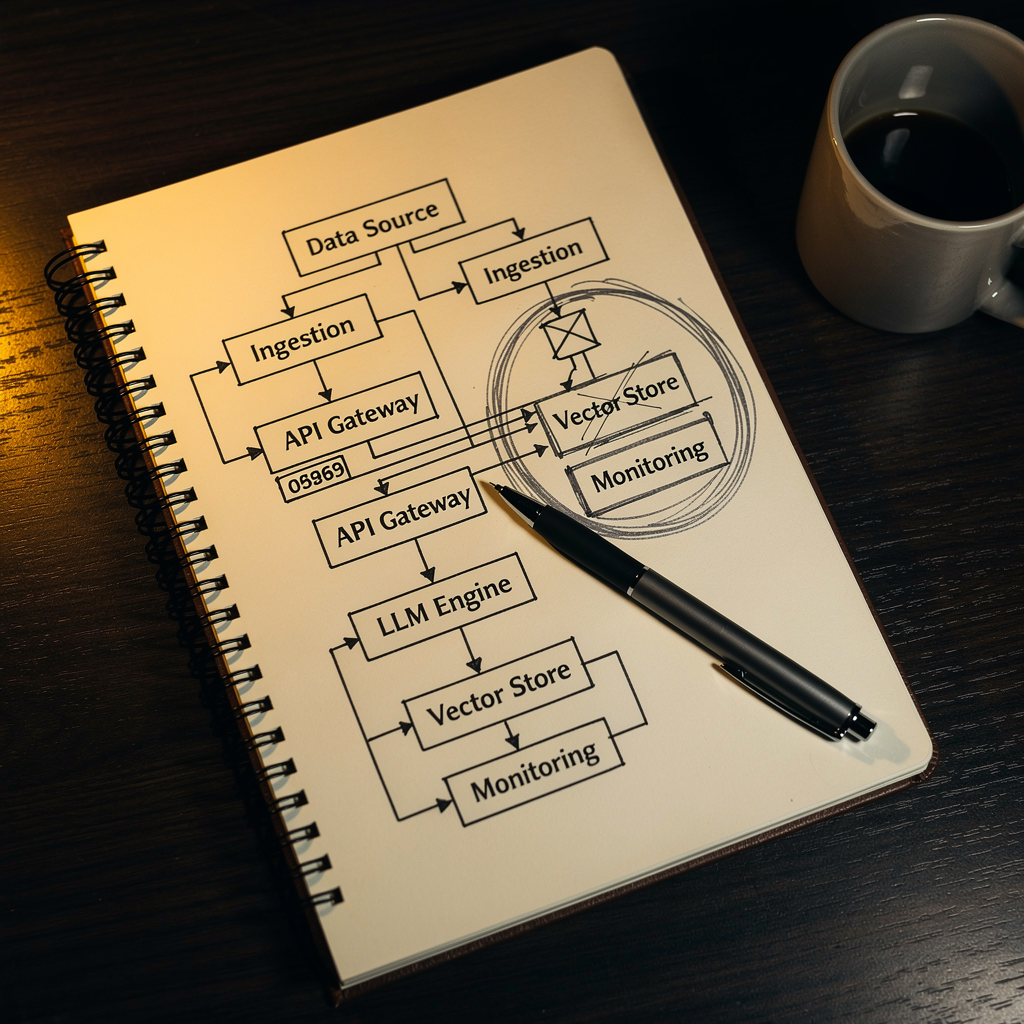
I Couldn’t Name Every Tool Touching My Client Data. That Was the Problem.
Someone asked me a simple question once. Not a client. Not a lawyer. Just a prospect in a discovery conversation, genuinely curious about how I handled information.
“Where does your intake form data actually go after someone fills it out?”
I started answering. Confident. Then I hit a pause I didn’t expect.
I could name the form tool. I could name the CRM it fed into. And then it got… murky. There was an automation that fired after submission. Something that tagged the contact and triggered an email sequence. Was that going through the email platform directly? Or was there a connector in between? And that AI tool I’d been using to summarize onboarding notes — was I pasting into the free tier? The paid tier? Did it have a data retention policy I’d actually read, or one I’d assumed was fine?
I finished the answer. The prospect seemed satisfied.
I wasn’t.
—
The Stack Grows the Way a Junk Drawer Grows
Nobody builds a franken-stack on purpose. That’s not how it happens.
It happens one solved problem at a time.
Form tool because you needed intake. CRM because the form tool couldn’t track conversations. Scheduler because the CRM didn’t handle bookings. Email platform because the scheduler’s built-in sequences were too limited. AI tool because you needed faster drafts. Second AI tool because the first one didn’t handle a specific thing. Connector between platforms because they didn’t talk to each other natively.
Every tool made sense when it was added. Every decision was the right call in that moment. Nobody sat down and said, “Let me build something I can’t audit.”
The problem isn’t the tools. It’s that nobody drew the map. And once you’re eight tools deep, the map doesn’t exist anywhere except your head — and even there, it’s fuzzy around the edges.
I could tell you what each tool did. I couldn’t tell you, with real confidence, what each tool had access to.
That’s a different thing. And I hadn’t noticed the gap.
—
Nobody Asks Until They Have To
Here’s how security actually gets handled at the operator level: reactively.
Something goes wrong, or someone asks a hard question, and suddenly you’re tracing back through a stack you built on the fly over the last three years. That’s when you find out the integration you set up in 2022 is still passing data to a platform you basically stopped using. That a workflow you built to save time is logging more than you intended. That a connector — not the main tool, the connector between tools — has access you never explicitly thought about.
Most operators in the $50K–$300K range aren’t getting breached in the cinematic sense. What they’re getting is quieter than that:
- A client asks a pointed question and you can’t answer it cleanly.
- A vendor gets acquired and the privacy policy updates overnight.
- An automation breaks and you discover three workflows were chained in ways you didn’t fully map.
- You paste client context into an AI tool for a quick summary and then realize you just added that context to a platform’s training data pool, depending on the settings you may or may not have configured.
The tell isn’t the breach. It’s the pause before the answer.
If you can’t walk through what touches your client data and where it goes in under two minutes, you don’t have a security problem yet — but you’ve already got a visibility problem. Those tend to become security problems on someone else’s timeline.
—
What I Actually Built When I Started Mapping It
When I started building FlowState Ops seriously, part of the process was forced clarity.
Not a formal security audit. Not a compliance exercise. Just an honest map: what’s in the stack, what does each piece touch, what flows where, and who can see what. Written down. Traceable.
What that process found wasn’t dramatic. There was a tool with broader access than it needed for what I was actually using it for. One integration passing data downstream to a platform I’d moved away from months prior — still connected, still running, still touching records. A workflow that was logging contact details at a step where logging wasn’t necessary.
None of it was catastrophic. All of it was fixable. The issue was it had been invisible.
The real insight was this: the dangerous piece usually isn’t the main platform. It’s the connector. The thing between tools. The sync, the zap, the integration you set up in twenty minutes because you needed two tools to talk and never looked at again.
A client’s information hits an intake form. Gets pulled into a CRM. Fires an automation. Touches an email platform. Gets summarized by an AI tool. Lives in a reporting dashboard. Each handoff is a place where data goes somewhere, and most of those places have their own storage rules, retention policies, and third-party access assumptions.
That map — that actual traced path from intake to archive — became part of how I build for clients. Because if I couldn’t see my own stack clearly, the operators I was building for definitely couldn’t see theirs.
—
The One Question Worth Sitting With
Here it is:
If a client asked you right now to walk them through every place their data lives and every tool that touches it — could you do that without Googling?
If yes: good. When did you last check? Tools update. Integrations shift. Policies change. The map you drew eighteen months ago may not match the stack you’re running today.
If no: that’s not a crisis. That’s a starting point. You don’t need a consultant or a compliance tool or a new platform. You need two hours and a blank document. Intake form. CRM. Calendar tool. Email platform. Proposal software. Task system. AI tools. Reporting tool. Archive. Draw the lines between them. Note what data each one touches. Note what access each connector has.
The operators who do this aren’t paranoid. They’re just building something they can stand behind.
There’s a version of this that sounds like extra work on top of work you already have. I get that. But consider: if you need a spreadsheet to remember which tools touch client data, you already need the spreadsheet. The work exists either way. The only question is whether you do it now or when someone’s standing in front of you asking.
—
One Thing You Can Try This Week
Open a blank document and write down, from memory, every tool that handles client information in your business — forms, email, CRM, scheduler, payment processor, AI tools, anything. Don’t look anything up yet. Just write what you can name. Then look at the gaps. The tools you hesitated on, the connectors you forgot about — those are the places worth a closer look. The post’s whole point lives in that list.
—
You haven’t been hacked. The business is running. Clients are happy. The stack is humming.
Most of the time, that’s fine.
The operators I respect most aren’t the ones who’ve never had problems — they’re the ones who know what they’ve built well enough to fix it when something breaks. Not because they were forced to. Because they made it a habit to look.
If you haven’t mapped your stack recently, that’s where I’d start. Not with a new tool. With a piece of paper and a question: What touches my client data, and do I actually know where it goes?
—
FlowState Ops builds visibility into the stack from the start — not as a feature, but as a principle. If you’re curious what that looks like in practice, start here.
—